We look at whether movement, aiming, timing, taps, or keyboard inputs feel readable enough for the game style.
Editorial browser game discovery
Browser Game Reviews & Quick Play Guides
GameFunn helps players choose browser games by controls, device fit, session length, category style, loading behavior, and safer page signals before opening a game frame.
How We Help You Choose First
Review notes call out when a game is better on a wider screen, a keyboard, a mouse, or a simple touch layout.
Categories group games by the decisions players make, not only by thumbnail theme or generic popularity.
Guide pages explain session length, loading expectations, safer page signals, and what to check before opening a frame.
Why GameFunn Reviews Games Before Listing Them
GameFunn is not built around the idea that a title, a thumbnail, and a launch button are enough. That kind of page may be fast to browse, but it often leaves the most important questions unanswered. Before a visitor opens a game frame, they usually want to know what the game asks them to do, whether the controls are readable, whether the screen stays clear under pressure, and whether the first session is worth the time it takes to load. A review page gives us room to answer those questions in plain language.
Controls are one of the first things we look at. A simple game can still feel good if movement is predictable, taps land where the player expects, keyboard steering responds cleanly, or aiming gives enough feedback to explain a miss. The opposite is also true. A game can look exciting in a thumbnail and still feel poor if the player spends the first minute fighting the input instead of understanding the challenge. We would rather say that clearly than send every visitor straight to a frame with no context.
Screen clarity matters just as much. Some games work because the danger, board state, route, target, or score pressure is visible at a glance. Others become confusing when small objects overlap, the camera hides the next decision, or mobile controls cover the part of the screen the player needs to read. That is why our notes often mention visibility, readable pressure, and whether a mistake feels explainable. We are fine with simple games. We are not fine with confusing pages.
Device fit is another reason reviews come first. Some games are naturally better on desktop because a keyboard, mouse, or wider view makes the experience fairer. Racing pages often depend on steering precision. Action games may need quick direction changes. Pool, aiming, or table games can benefit from a larger screen. Other games fit phones well because they use taps, short turns, clean boards, and slower decisions. A good review does not pretend every game works equally well everywhere. It helps the visitor choose based on the device in front of them.
We also care about session length. A quick arcade round should reach its first meaningful action quickly. A puzzle can take more time if the thinking loop is clear. A sports or racing game should make early misses feel fair enough that trying again makes sense. Some titles lose the player in the first minute because the frame is slow, the goal is vague, the controls are hidden, or the page does not explain what kind of play to expect. Those are exactly the cases where review notes are useful. They tell visitors what to expect before the click.
The value of GameFunn is not simply that a game can be opened. The value is helping someone decide whether it is worth opening at all. A review can say who a game suits, which screen makes sense, how long a useful round may take, and what problems to watch for. That editorial layer is what separates a useful recommendation from a row of buttons. If the page helps a visitor make a better choice, it has done its job before the game frame ever loads.
What We Usually Avoid
GameFunn does not try to recommend every playable page we find. Some pages are technically available but feel wrong for visitors, and that distinction matters. We usually avoid pages built around misleading download buttons, especially when the button is louder than the actual game or makes a normal web play experience feel like a software install. A clear page should not make people guess which click is safe.
We are also cautious with pages where the game frame is unclear. If the frame fails, loads the wrong content, sits behind noisy prompts, or gives no useful signal about what is happening, the page needs review before it deserves attention. A broken or confusing frame is not a minor detail; for the visitor, it is the whole experience.
Mobile readability is another common filter. We do not like recommending games where the controls cover the action, buttons are too small to hit with confidence, or the screen becomes unreadable as soon as the round begins. Some titles are simply desktop-first, and that is fine. The problem is pretending they are comfortable everywhere.
We also avoid games that take too long to reach the first meaningful action. Waiting through a slow load, vague menu, unclear objective, and awkward first input is a lot to ask from someone on a short break. Simple is welcome. Slow confusion is not. When a page feels unsafe, noisy, or difficult to understand, we would rather leave it out, flag it for review, or explain the issue than dress it up as a recommendation.
Search Results
Editor’s Picks
These are not just games with attractive thumbnails. Each pick has a clear first session, readable controls, and enough context on its review page to help visitors decide whether it matches their device and available time.
 Metro City Driver
A compact traffic-reading driving game where gentle corrections matter more than stunt chaos. The first few runs are useful because each mistake teaches lane spacing, steering restraint, and how early you need to read the next gap. It is a good first stop for players who want quick car control without a long setup.
 Bubble Merge 2048
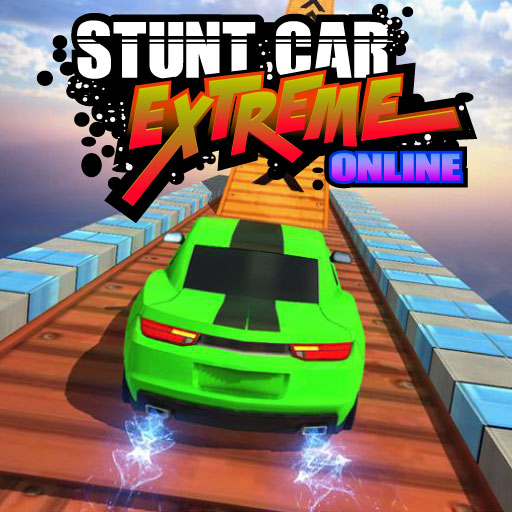
This merge puzzle works because the board pressure is easy to understand after one round. The satisfying part is planning enough space for the next drop, not simply chasing a high number. It is calm enough for a phone break while still giving desktop players a clean planning loop.
 Real Pool 3D
A slower sports pick for players who enjoy angle reading and deliberate shots. It earns its place because the table logic is easier to evaluate than many twitchier browser sports games. The review notes help visitors decide whether they want a careful aiming session instead of a fast score-chase loop.
 Stickman The Flash
A fast action-arcade page built around spacing, target priority, and clean reactions. It is best when you want immediate pressure and do not mind rapid retries. We picked it because the first session quickly shows whether the movement and combat rhythm fit your tolerance for fast restarts.
 Grid Drifter
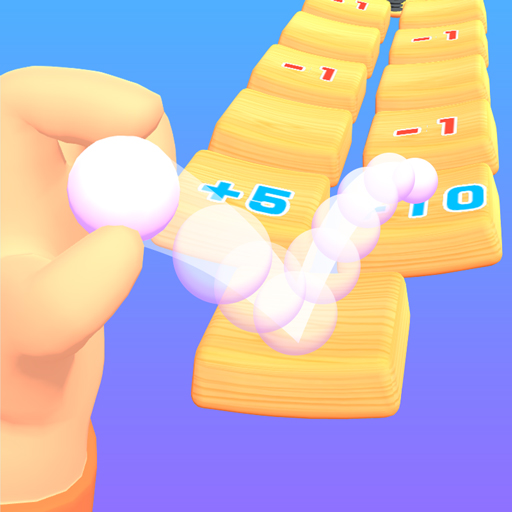
Grid Drifter is a clean keyboard-friendly racer that rewards smooth steering lines. It is useful for comparing whether a racing page feels responsive before opening something heavier. The grid layout makes mistakes easy to read, which is exactly what a short browser racing review should explain.
 Point To Merge
A calmer planning puzzle for visitors who prefer connections, observation, and low-pressure decisions. It is easier to recommend for a break than for a high-energy challenge. The page earns an editor pick because it gives visitors a quiet way to test puzzle logic, mobile readability, and session length before opening the game frame.
Latest Game Reviews
Recent review updates focus on the questions that matter before launch: what the player actually does, how fast the first useful moment arrives, whether the controls fit the device, and which type of visitor is likely to enjoy it.
 Alien Buster
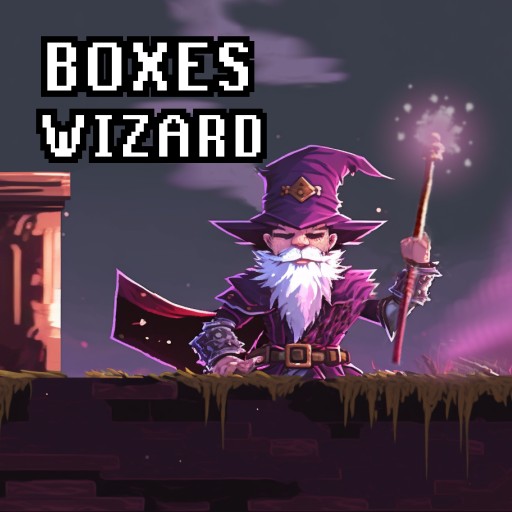
A straightforward shooter where survival depends on movement space as much as firepower. It works best when you keep an exit route open instead of standing still.
 Color Parking Drifter
A precision driving page built around approach angle and recovery. The challenge is lining up early, then making one clean final correction.
 Football League
A quick-match sports page that cares more about readable timing than deep simulation. It is a better fit for one or two rounds than a full season fantasy.
 Ping Pong Table Tennis
A rebound-timing game where missed returns should feel explainable. It is strongest for players who want a simple skill loop they can read quickly.
 Zombie Mission Survivor
A crowd-pressure survival game where staying alive matters more than clearing every target. The review notes focus on escape routes, retry value, and screen readability.
 Air Space Shooter
A short-form shooter where movement, target priority, and restart speed decide whether the page feels fair. It is best judged by how readable danger stays.
 Blocky Moto Climb
A bike-climb challenge where slope balance and landing angle matter more than pure speed. It is a useful fit for players who enjoy patient recovery.
 Goal Arena 3D
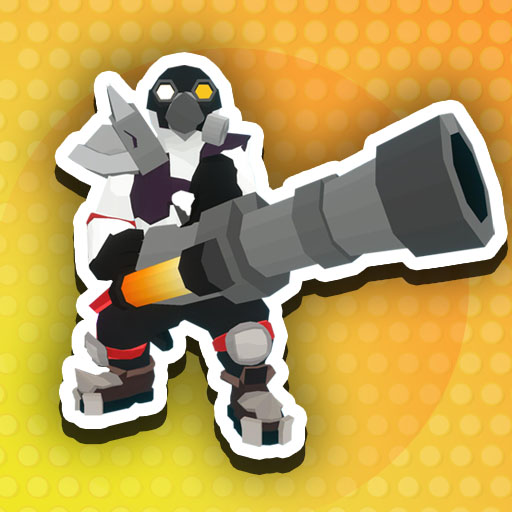
A compact goal-angle challenge that makes the scoring moment arrive quickly. It suits visitors who want a focused sports action instead of menu-heavy play.
Browser Game Guides
GameFunn guides are written for visitors who want to choose by context: phone versus desktop, old hardware versus modern browsers, quick breaks versus longer sessions, and safe page signals versus noisy launch pages.
Best Browser Games to Play During a Short Break
Pick games that reach the first meaningful decision fast and still feel satisfying in a few minutes.
Best Puzzle Games for Mobile BrowserFind puzzle pages that stay readable on phones without thumb-blocked boards or tiny interaction targets.
Browser Games That Load Fast on Slow InternetLearn which lightweight game types stay usable when a connection or device is less forgiving.
How to Pick Browser Games for Older LaptopsChoose simpler browser games that do not turn weaker hardware into a guessing game.
How to Tell If an Online Game Page Is SafeCompare page signals such as clean embeds, policy links, and fewer misleading download prompts.
Best Browser Games for One-Hand Mobile PlayFind tap-friendly games that still work when the screen is small and attention is divided.
Browse all GameFunn guides for device-fit advice, category explainers, and practical recommendations.
Browse by Category




Why GameFunn Is Not Just a Game Directory
GameFunn is built to help visitors choose browser games with context, not to push people through a list of thumbnails as quickly as possible. A plain directory can show a title, an icon, and a button, but that does not answer the questions most players actually have before opening a browser game. What kind of gameplay is this? Does it work better on a phone or a desktop? Are the controls precise, forgiving, or awkward? Is the first session short enough for a break? Does the page explain who provides the game frame and what to do if the frame fails? Those questions are the reason the homepage is structured around reviews, guides, category notes, and selection logic.
Every game featured on GameFunn should earn its place through human review signals. We look at whether the category is honest, whether the thumbnail matches the experience, whether the first minute gives the player a meaningful action, and whether the game can be described clearly without relying on generic hype. A racing game should involve steering, route reading, parking, drifting, stunt timing, or another recognizable driving idea. A puzzle game should offer observation, planning, matching, board pressure, or spatial reasoning. A sports game should make timing, aiming, scoring, rebounds, or match pressure understandable. When those signals are weak, the page needs better context or should not be treated as a strong recommendation.
Device fit is one of the most important differences between a useful review site and a thin game list. Some browser games feel natural on desktop because keyboard steering, mouse aiming, or a wider view makes the play area easier to read. Other games fit mobile better because the controls are simple, the board is not hidden by the player’s thumb, and the session works even when attention is divided. GameFunn calls out mobile fit and desktop comfort so visitors can choose based on the screen they actually have. A game can be fun and still be a poor mobile recommendation if the buttons are cramped or the main action happens under the touch area.
We also pay attention to control feel and loading behavior. A good browser game does not need to be complex, but it should respond clearly enough that mistakes feel understandable. Short-session value matters too: many visitors are looking for a quick round during a break, not a long campaign or an unexplained frame that takes too long to settle. That is why our home page and review pages describe session length, restart flow, readable pressure, calm puzzle loops, focused sports turns, or keyboard-friendly racing. These notes turn the page into a decision tool instead of a doorway.
Safety signals are part of the review experience as well. Browser game pages should avoid confusing download language, oversized urgency, or unclear provider behavior. GameFunn keeps policy links, reporting paths, provider disclosures, and editorial notes visible so visitors understand that playable games may be supplied by third-party HTML5 providers while GameFunn adds reviews, category organization, and safety/context information around them. The value of the page is not just that a game can be opened; the value is that a visitor can decide whether it is worth opening in the first place.
That is why the homepage links to editor picks, latest reviews, guides, categories, and the full review process. The route through the site is meant to be editorial: start with a need, compare a category, read a review, check device fit, then open the play page only if the game still matches the session. This structure keeps GameFunn closer to a browser game review publication than a simple iframe archive, and it gives players a clearer, safer way to discover games that match their time, device, and preferences.
How GameFunn Reviews Games
GameFunn is built as a browser game review and guide site, not a thin launch directory. Our home page highlights games only after we can explain why a visitor might want to open them, what kind of session they suit, and which device is likely to feel comfortable. A game can be quick, simple, or casual and still deserve useful editorial context; the important question is whether the page helps the player make a better choice than a bare thumbnail would.
When we screen a game, we start with category fit. Racing pages should feel like driving, parking, drifting, or route control. Puzzle pages should ask for planning, observation, matching, or spatial decisions. Sports pages should provide recognizable timing, aiming, score pressure, or match feedback. Action and arcade pages are checked for readability, restart speed, and whether early failures teach something. If a title appears in the wrong category or the thumbnail promises a different experience, we treat that as a review issue rather than harmless decoration.
Next we look at device fit. Some browser games are naturally desktop-first because they depend on keyboard steering, mouse aiming, or a wider view. Others work well on phones because the input is simple, the board is readable, and the first useful moment arrives quickly. GameFunn cards call out mobile and desktop fit so visitors do not waste time opening a page that clashes with the screen or controls they have available.
We also judge short-session value. A strong browser game should explain itself fast, recover from a restart cleanly, and give the player a reason to try again without forcing account creation or a long onboarding flow. That is why our recommendations mention quick breaks, focused rounds, calm puzzle play, keyboard racing, survival retries, or longer shot-planning sessions. These labels are editorial guidance, not user ratings.
Finally, each review page is expected to add practical notes around gameplay, controls, pros and cons, related games, third-party embed behavior, and reporting paths for broken or mismatched content. Playable frames may come from third-party HTML5 game providers, and GameFunn does not claim ownership of third-party game code, artwork, names, or marks. If an embed breaks, loads unexpected content, appears in the wrong category, or raises a rights concern, visitors can use our Contact, DMCA, or broken-game reporting links so the page can be reviewed. That ongoing maintenance is part of how we keep the library useful instead of simply making it larger.